Celestial Software

...better by design

Printing

E-mail Print

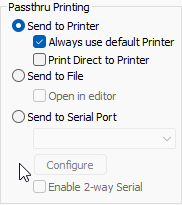
AbsoluteTelnet/SSH supports screen printing initiated by the user as well as passthru printing sent from the host.  Printing options are available on the Options->Properties->VTOptions dialog.
Screen Printing 

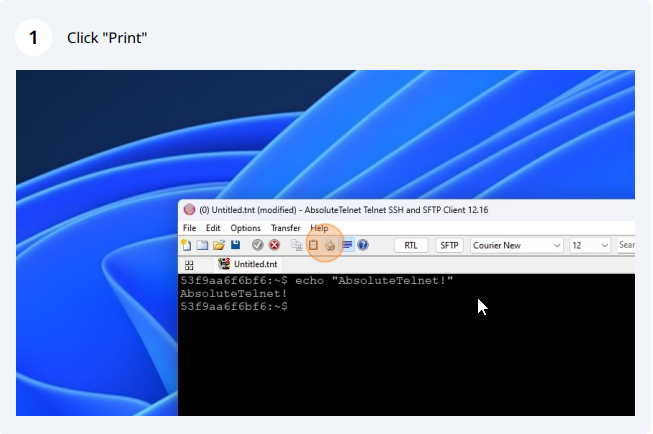
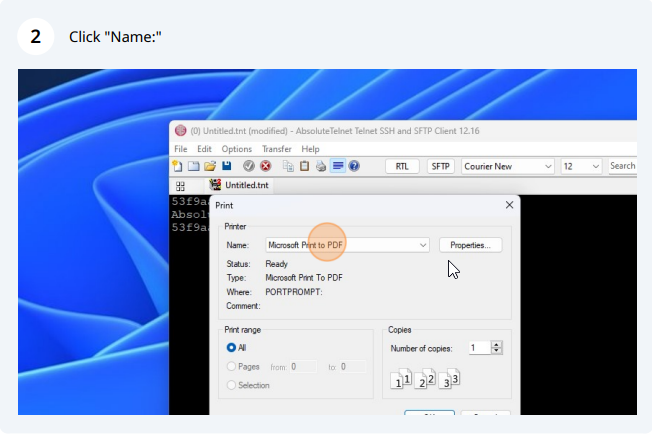
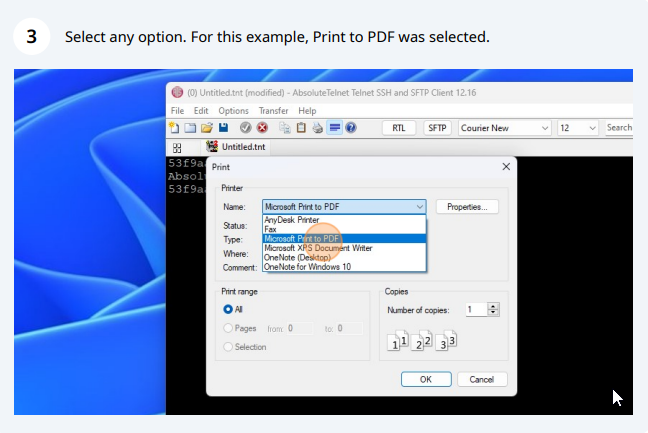
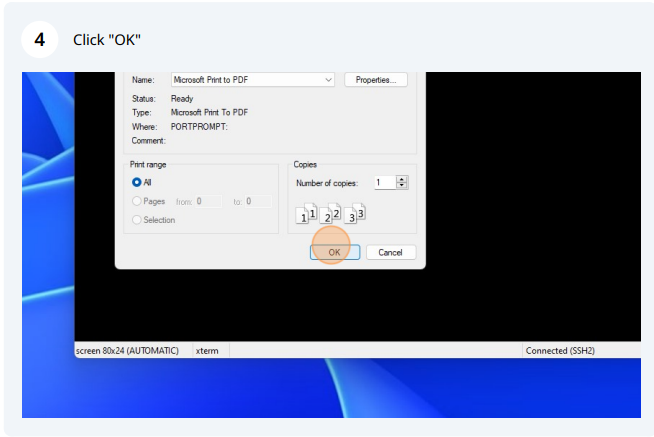
AbsoluteTelnet provides two different methods of printing. To print, click the printer icon on the tool bar or go to file->print. Then either select "Screen" or "Selection". If "Screen" is chosen, then the application will print what appears in the terminal window. To print a specific selection of text, highlight the desired text (incorporating scrolling, if desired), go to the print window, and choose "Selection". The application also includes the Windows standard printer selection box.

Passthru Printing

AbsoluteTelnet supports 'passthru printing' which is print data that is sent directly from the host.  By default, this data will be printed on the default printer, but this can be changed via the "passthru printing" options on the Options->Properties->VTOptions page.  You can redirect the passhthru printing data to a file, a serial port, or to a preassigned printer.  You can even bypass the printer driver and have the raw data sent directly to the printer.

Last Updated on Monday, November 24, 2008 05:19 AM  

Recent Forum Posts

info in AbsoluteTelnet General by RMinNJ, May 02, 2012 12:50 pm
info in Configuration issues by JamesEshelman, Apr 03, 2012 11:51 am
info in File Transfer by bpence, Mar 30, 2012 03:43 pm
info in Secure Shell by bpence, Mar 27, 2012 12:42 pm
info in Configuration issues by RedDragon, Feb 08, 2012 02:25 pm
I have been using AbsoluteTelnet for a little over a month. We use it's SecureShell abilities as a login to our character-based applications on Linux servers. The product has performed exactly as advertised. Although I've had a few issues (i.e., not knowing how to do certain things in AbsoluteTelnet), the support has been excellent and all of the issues I've encountered have been resolved quickly. -- sywyatt