Notifications
Clear all
02/12/2025 2:00 pm
An update on this.... The sourceforge instructions for this no longer exist.
You can still create the shell, but it's no longer documented.
But basically you:
1. Upload your SSH public key to your profile in sourceforge. This is similar to adding your key to 'authorized_keys' in linux
2. Configure Hostname (shell.sourceforge.net) and username (your sourceforge username) in AbsoluteTelnet
3. Under authentication choose 'use an ssh key' and choose your private key or token. You can skip this step if your keys are already loaded in an agent.
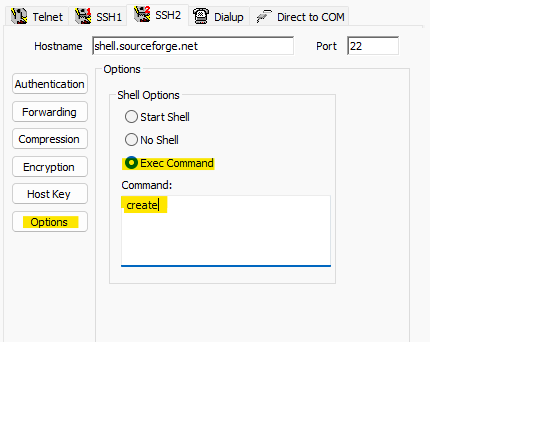
4. Under ssh2 options, configure to EXEC a command and execute 'create' (like below)
5. Connect and wait. It takes a few seconds to start the shell
This post was modified 3 months ago 4 times by bpence
Page 2 / 2
Prev
