Hi, I'm using AbsoluteTelnet 13.15 on a Windows 11 computer.
Each time I start AbsoluteTelnet either from the Windows Start pad or by doubleclicking a *.tnt file AbsoluteTelnet opens - and with it the Windows setting App -> Standard App.
There are Standard Apps for SFTP (not Absolute Telnet), SSH and Telnet (both set to AbsoluteTelnet). As these settings are ok I don't change them.
Why is this triggered by launching Absolute Telenet?
Sure. I think I can help with that, but I'll need you to check something in your registry.
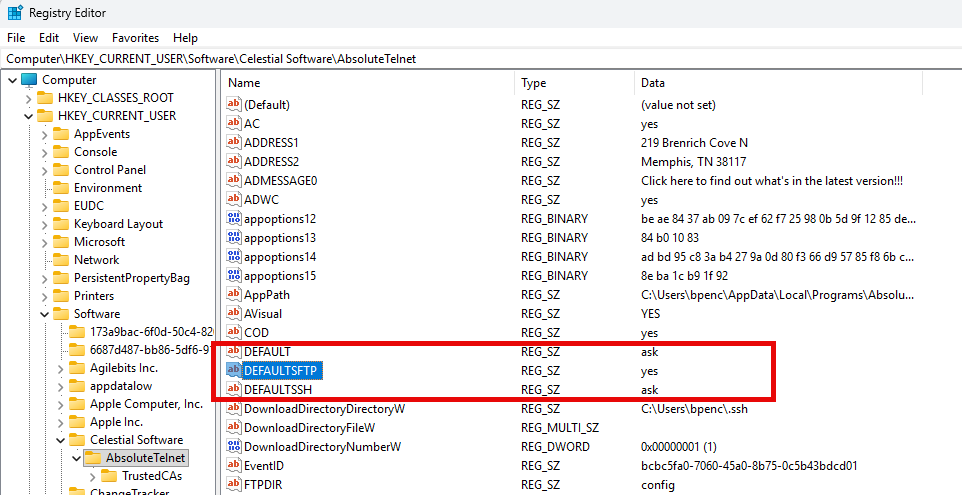
Can you naviage to HKEY_CURRENT_USER->Software->Celestial Software->AbsoluteTelnet and tell me if you have an entry for 'DEFAULTSFTP' and what the value is?
See the attached image...
@bpence your response solved the issue:
- My registry had the DEFAULTSFTP value "yes"
- My thoughts: this may make Windows think AbsoluteTelnet claims to be the "App Standard" for SFTP - but I've set a different software as standard. Therefore Windows ask me which one is the right App Standard.
- Therefore I changed the value to "no" ...
- ... now launching AbsoluteTelnet does not trigger this App Standard setting for SFTP/SSH/Telnet anymore.
Maybe there's a way to change that by the Options UI of AbsoluteTelnet.
Yes. Normally, When Absolute isn't the default app, it will prompt you and ask you if you want to make it the default, then take you to the 'Default Apps' tool to do it. For security purposes, apps cannot just MAKE themselves the default.
At some point in the past, you responded 'YES' to that prompt and 'Don't ask again', which locked the answer into the registry like that.
It does the same thing for default 'telnet', 'ssh', and 'sftp'
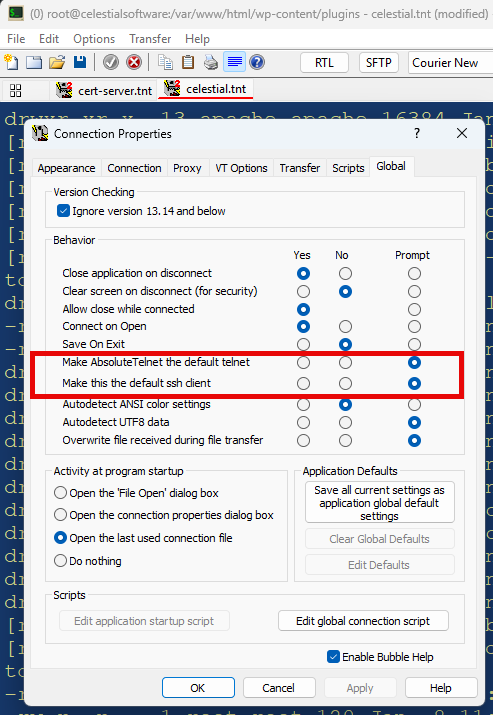
For 'telnet' and 'ssh', there IS an option in the UI to turn it back off. You'll see those on Options->Properties->Global.
Unfortunately, the UI option for SFTP is missing (needs to be added) so the only way in your version to change it is to modify the registry, which you've already done.
If you delete the option from the registry instead of saying 'no', you'll return to the default behavior of PROMPT
SFTP option should be here, but only the telnet and ssh options are visible. I'll make that change in the next version:
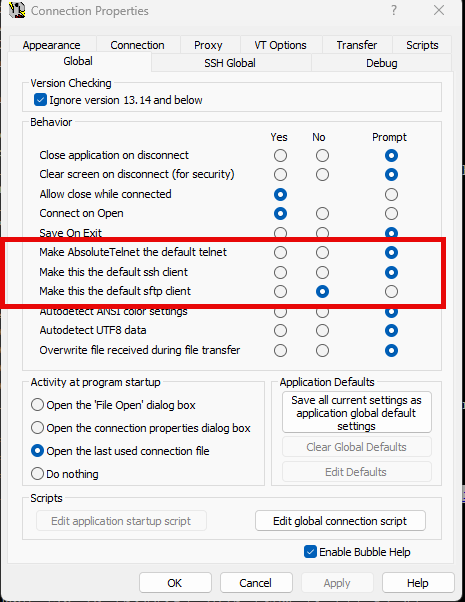
13.16 will have options for all three 'default' preferences
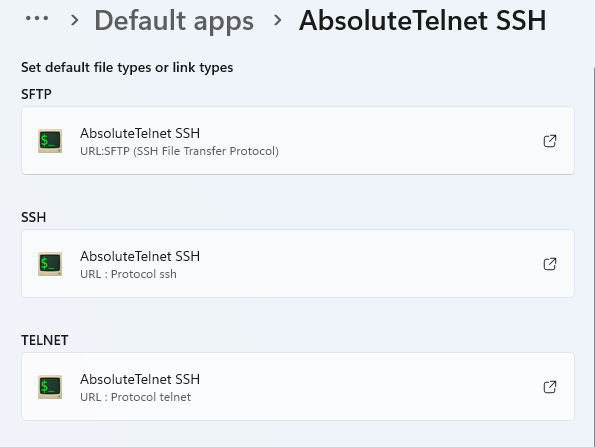
Which correspond directly to these three options in 'default apps'
If you have 'make this the default 'x' app set to yes, and it isn't, it will pop the windows default apps dialog so that you can make the change. For security purposes, Windows doesn't allow AbsoluteTelnet/SSH to actually change the default app directly. But it CAN take you to the right place to do it yourself.
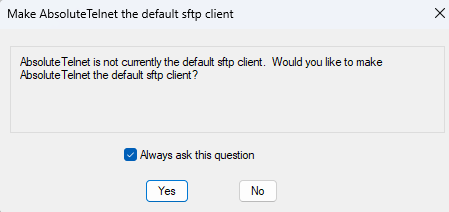
Default for all three options is 'prompt'... which will give you this dialog. If you really want don't want Absolute as the default, uncheck 'always ask this question' and select 'No'. If you ever change your mind, you can change it in the global settings.
You can download the pre-release beta here, or wait a few weeks for it to officially release:
https://www.celestialsoftware.net/beta-testing/