Celestial Software

...better by design

Home Support Online Help SSH Features SSH File Transfer Software

SSH File Transfer Software

E-mail Print
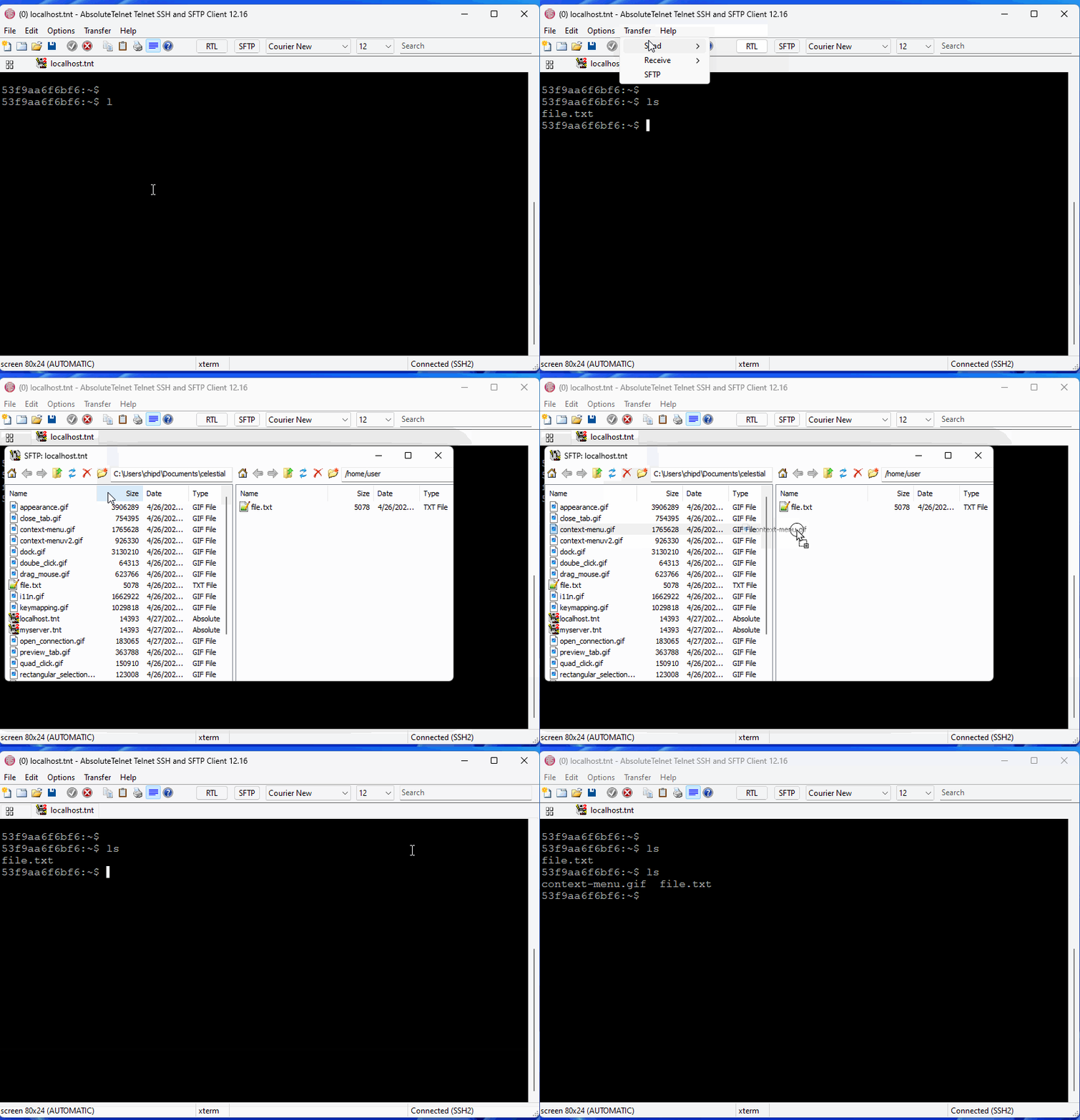
AbsoluteTelnet / SSH contains a fully integrated GUI sftp client for ssh file transfer over the currently established SSH session.  When you're in an SSH2 session, all you have to do is click the SFTP button on the toolbar to bring up a SFTP browser windows.  You can navigate your filesystem using familiar windows explorer-like controls and transfer files using copy/pase or drag/drop.

Features:

  • Multiple SFTP clients per session with a single login.
  • Multiple concurrent file transfers
  • Support for large files > 4GB
  • Drag/drop file transfer between Absolute, Windows explorer, and other applications that support file drag/drop
  • Simple navigation (forward, backward, up)
  • Supports host-side symbolic links
  • Supports copy, paste, delete, rename of either local or remote files
  • Easy to use interface


secure transfer client
To learn more, visit the AbsoluteTelnet / SSH Home Page
Last Updated on Wednesday, March 18, 2009 04:30 PM  

Recent Forum Posts

info in AbsoluteTelnet General by bpence, Feb 24, 2010 11:13 am
info in AbsoluteTelnet General by leestone, Feb 23, 2010 04:31 pm
info in File Transfer by zoomad, Feb 18, 2010 06:56 pm
info in AbsoluteTelnet General by bpence, Feb 18, 2010 03:49 pm
info in AbsoluteTelnet General by mvdwerf, Feb 18, 2010 07:04 am
Absolute Telnet has become my Telnet/SSH client of choice. Very powerful and flexible. Useful new features are added with each of the (frequent) updates. I have found the support to be excellent as well. Give it a try, I think you'll like it! -- sleepytom