AT v13.16 32bit version
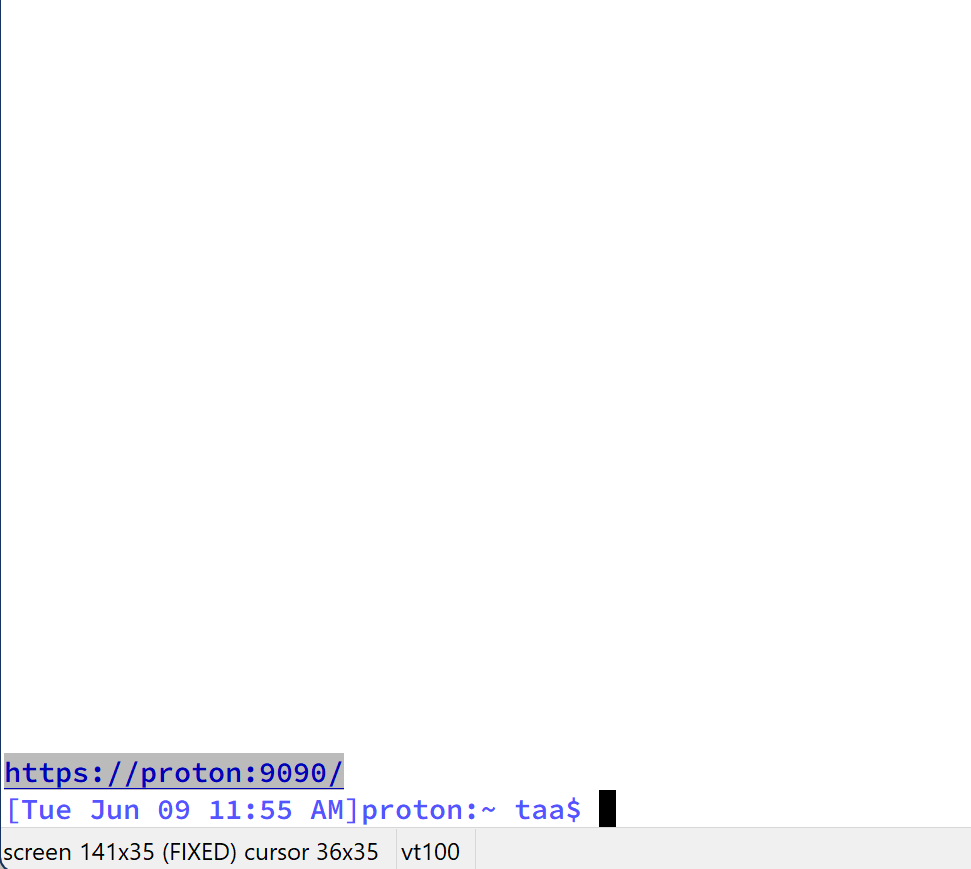
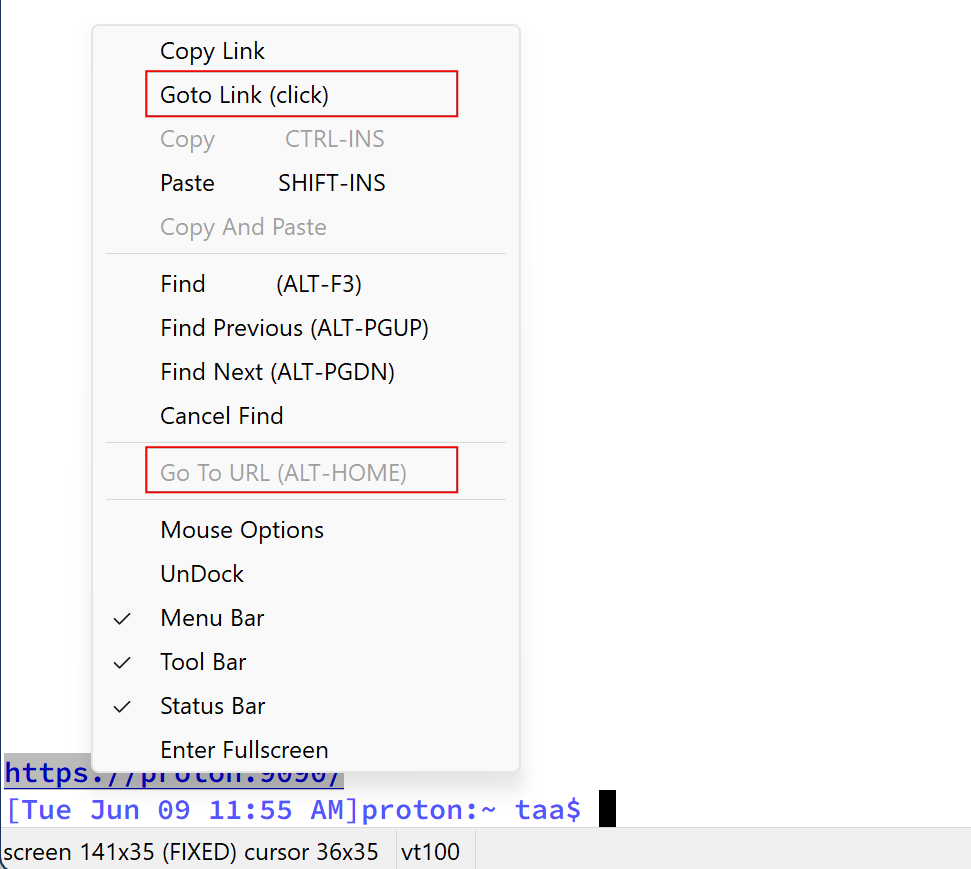
Can you let me know how is "Goto Link (click)" different from the disabled "Go To URL (ALT+HOME)"?
Sure.
They're similar but not exactly the same. 'Goto Link' works with things already identified by AbsoluteTelnet/SSH as URLS or links. 'Go to URL' works with ANY SELECTED text, whether Absolute identifies it as a link or not.
For example, when URL highlighting is enabled (Options->Properties->Appearance), Absolute will try to identify links in the terminal text. And if it does, the text will be highlighted. The mouse cursor turns into a hand when you hover over and you can just click them and they open in your default browser. Easy. No selection required. And if you right click, you'll see the extra menu items for copy link and goto link. 'Go To URL' in this scenario is greyed out because (like copy) it operates on the current text selection and no text is 'selected'.
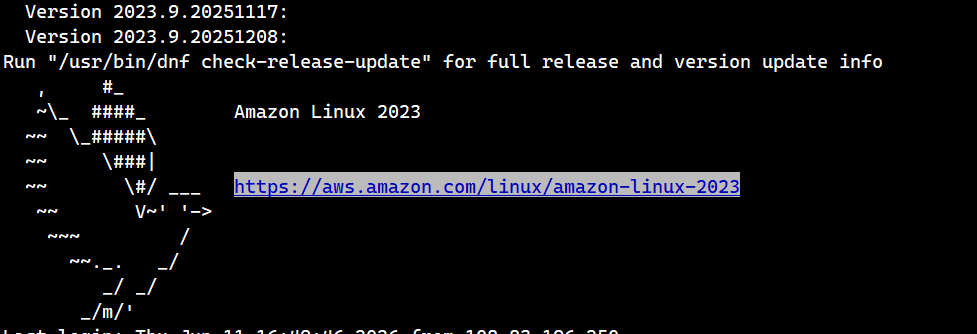
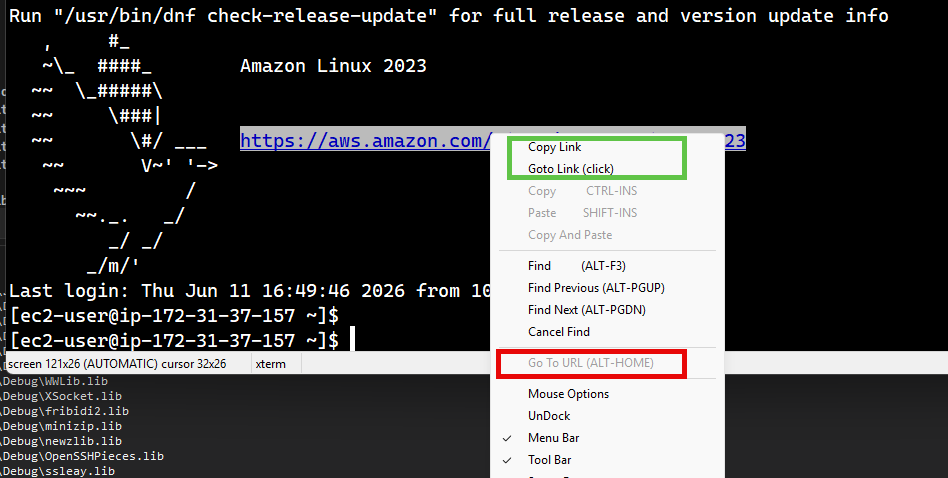
With URL highlighting turned OFF, there is no highlighting. No hand cursor when you hover, and no 'link' options in the menu. It's just text on the screen. And still no 'Go To URL' because (like copy) you haven't selected anything yet.
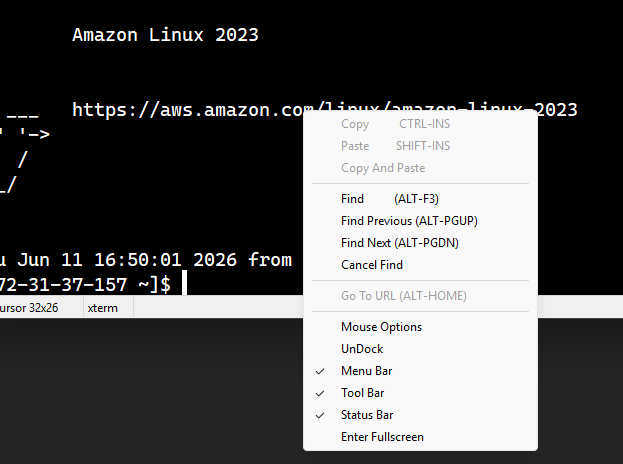
Now, you could copy and paste the URL into your browser... Highlight/select the desired text, copy, go to your browser and paste, etc..... 'Go To URL' is a shortcut for just that. There's not even a check to see if its a valid link. It works on the currently selected text and opens it in your default browser. It presumes you know what you're doing.
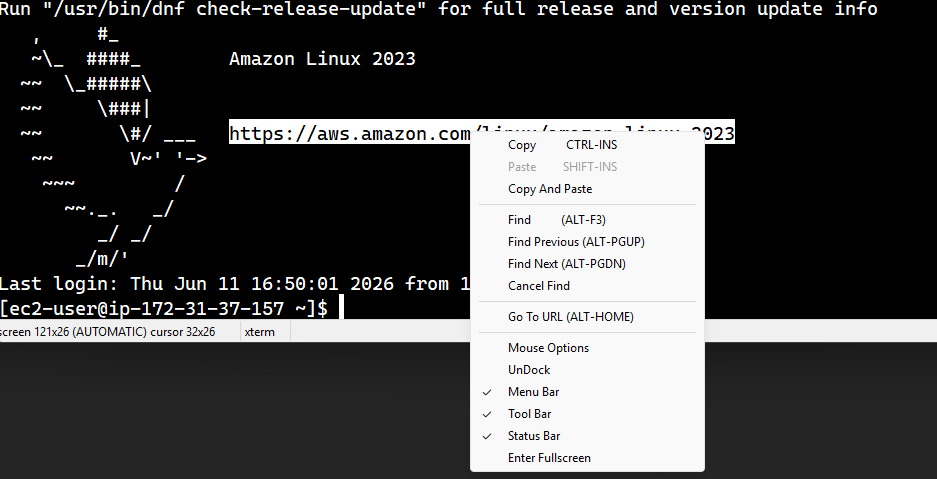
I could think of some options for unifying that. Or maybe hide the 'Go To URL' when 'Goto Link' is visible.
Thoughts?
Does that clear it up?